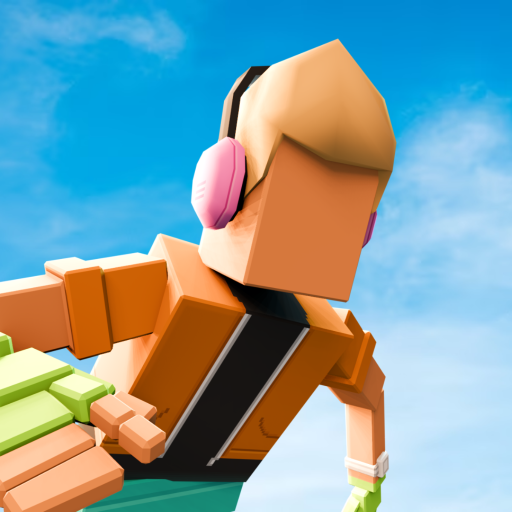





Wacky Flip
- Game type
- Single-player physics-based parkour and flipping game
- Play style
- Single-player levels with unlockable moves and an Arcade mode
- Platform
- Browser game
- Controls
- Hold to crouch or build momentum, release to jump, then time the midair flip and landing.
- Categories
- Driving & Stunts
Play Wacky Flip online: launch into backflips, control your rotation, and land upright inside each target zone.
What is Wacky Flip?
Wacky Flip is a physics-based stunt game about launching into the air, rotating, and landing in a marked area. Each attempt asks you to coordinate two moments: build a jump with the right amount of momentum, then stop the flip early enough to recover. The controls are simple to begin, but the timing changes how far and how cleanly the character lands.
The fun comes from turning a short input into a complete stunt. Holding too briefly can leave you short of the target, while rotating for too long makes it harder to put your feet back under you. A successful landing feels earned because the player has to read the character's movement and release at the right point rather than pressing every control at once.
Start Wacky Flip in the player above, then use the related games below to find another quick stunt challenge. Each level gives you a new target and a chance to refine the jump and landing timing.
Jump timing, flips, and landing zones
A typical stunt begins with a crouch or charge. Hold the input to prepare the jump, then release to launch. The amount of hold affects the movement, so pay attention to how the character responds instead of using the same timing on every attempt. Once airborne, another hold starts the rotation; release it when the body has turned far enough to prepare for touchdown.
The landing area gives each level a clear target. A clean landing means touching down on both feet inside the zone and standing upright; the score can award up to three stars and unlock new poses. If you are turning quickly, release sooner and watch the remaining airtime.
The current game guide describes four environments and eight levels with multiple flip challenges. As you progress, you can unlock poses such as Pike, Scissor, Knee Tuck, and Layout. The settings and challenge names can change with updates, so use the live level screen as the final reference.
How to play Wacky Flip online
Start Wacky Flip in the player and follow its opening tutorial. Hold the mouse button or touch input to crouch and build the jump, then release to launch. Hold again while airborne to rotate, and release before touchdown so the character can straighten and land on both feet inside the marked area.
Do not hold every phase for as long as possible. A bigger jump or longer rotation can look dramatic but may leave no time to recover. Watch the character's position relative to the target and begin preparing the landing while there is still room to correct. If the attempt fails, use the next try to adjust either the jump charge or the flip duration, not both at once.
The game is designed for repeated attempts. Restarting a level is part of learning its distance and timing, not a sign that you need complicated controls. Once a landing feels consistent, try to add a cleaner rotation or reach a more demanding target without losing balance.
Tips for a clean Wacky Flip landing
Begin with a controlled jump. A consistent launch makes it easier to compare attempts and learn how much rotation fits in the available airtime. If the character lands short, add a little more momentum. If the jump travels too far, shorten the charge or change the angle according to the level prompt.
Start the flip only after the character has left the ground, then watch the body rather than guessing from the button hold. Releasing the rotation is as important as starting it. Stop early enough to bring the feet underneath, then let the final part of the jump carry the character into the target.
A good first practice goal is to land in the target before adding extra flips. Once you can finish a level upright, add one move such as a Pike or Scissor and watch how the rotation changes the landing. Small adjustments make it easier to learn the timing than changing the charge and spin together.
- Use a steady jump charge to make attempts easier to compare.
- Release the midair input before the character reaches the landing area.
- Change one timing choice at a time after a missed landing.
Wacky Flip controls
Use these quick controls as a reference, then follow the prompts in the embedded game if the selected mode or device shows different inputs.
- Hold the mouse button or touch to crouch and build the jump.
- Release to launch; hold again in the air to rotate.
- Release the rotation before landing and aim to land on your feet in the target area.
The game shows its timing prompts at the start. The exact input is designed for mouse or touch, and releasing at the right moment is central to a clean landing.
Wacky Flip tips
- Watch the target area while the character is in the air.
- Release the flip with enough time to put the feet below the body.
- Use short, consistent retries to learn the level's distance.
- If you land short or long, change the jump charge before changing every input.
Wacky Flip FAQ
How do you play Wacky Flip?
Hold to crouch and build the jump, release to launch, then hold again in the air to flip. Release before landing and aim for the marked area.
Can I play Wacky Flip online?
Yes. Start the embedded Wacky Flip game above and use its opening tutorial to learn the current timing prompts.
Why do I keep falling in Wacky Flip?
The jump may be too short, the rotation may last too long, or the character may be misaligned with the target. Change one timing step per retry.
How do you unlock Arcade mode in Wacky Flip?
The current guide says Arcade mode unlocks after Jump 10 of Level 1, The Court. Check the game's level screen for the live progression requirement.
Report a problem or share feedback
Tell us if the game will not load, something is not working, or you have a suggestion for this page.
More games like Wacky Flip
Explore other browser games in the same play style:
Loading comments...