




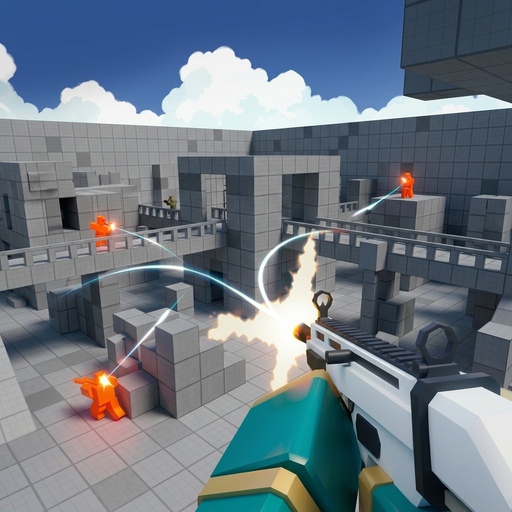



Browse .io games built around quick multiplayer sessions. Compare team shooters, block worlds, kart battles, and battle royale rounds, then open a game to check its controls and play style.
Play .io games online
This .io games page collects browser titles that are easy to start and built around short multiplayer sessions. The games do not all share one genre: some focus on shooting, some on block-based exploration, and others on driving or survival. Use the cards above to choose a game by name, then read its page for controls and a concise explanation before opening the embedded player.
Players looking for io games often want a quick way to compare different styles. 2v2.io combines shooting with building and offers queues selected in its lobby; Bloxd.io offers parkour and block worlds; Shell Shockers and Veck.io focus on first-person shooting. Smash Karts turns the arena into a kart battle, while Venge.io and ZombsRoyale.io add hero or survival objectives.
The list is intentionally curated rather than an endless directory. Square cover images make the titles easy to scan, and each game page brings together its player, basic controls, and a longer overview so you can move from discovery to play without losing context.
Choose a multiplayer style
For a team-based shooter, start with 2v2.io or Venge.io. The 2v2.io lobby lets you use party slots for duo play and may offer solo queues; Venge.io layers hero choices and abilities onto objective-based rounds. Shell Shockers and Veck.io are more direct FPS picks when you want to learn a weapon and move through an arena.
Bloxd.io is the broadest change of pace in this category. Its mode menu leads to blocky parkour, sandbox, survival, and team games, so it can suit a player who wants to explore rather than enter the same kind of fight every time. ZombsRoyale.io is another distinct option: its top-down battle royale turns the match into a sequence of looting, route planning, and survival decisions.
Smash Karts provides a driving option while keeping the competitive feel of an arena. Collect an item, choose a route, and decide when to attack. These differences make the category useful for discovering online games by feel instead of assuming every .io title plays alike.
How to use this game collection
Choose a square card to open its dedicated game page. Each detail page has the game embedded at the top, followed by controls, a longer description, tips, frequently asked questions, and links to related titles. This makes it easier to move from discovery to play without sending a click on a game card straight to an unrelated site.
The game controls are not identical across the collection. Some titles use keyboard and mouse input, while others display touch prompts or mode-specific keys. Check the instructions in the selected game before starting a round, especially when the game has updated its lobby or available modes.
Use the navigation links to narrow the list to battle royale, shooters, or driving and stunts. Those category pages have focused game selections and descriptions, making it easier to find a title by the way it plays.
Find your next browser game
A useful way to choose is to start with the session you want. Pick an FPS for quick aim practice, a battle royale for loot and survival, a sandbox for open-ended exploration, or a kart battle when you want to move around an arena. The cards let you scan the titles visually, while each page gives enough context to avoid loading a game that does not match your mood.
If you already know a title, use the search box in the site header. It searches the catalog's game names, descriptions, and categories. If you are browsing, begin with the popular 2v2.io page or move through the category links to find another style.
This is a playable game collection rather than a guide-only directory. Pages focus on helping visitors start the real game, understand its basics, and discover related browser games. For current modes, controls, or updates, the embedded game and its lobby remain the live source.
- Choose a card to open the game's detail page.
- Check each game's lobby for the latest controls and mode list.
- Use category navigation to browse by play style.
Why browse .io games in one place?
A mixed collection is useful when you want to try a new style without searching through unrelated directories. Here, the game cards group recognizable .io games but keep their differences visible: you can move from a block-world lobby to an FPS, then to a kart battle or a team arena without confusing one title's instructions with another's.
For a short session, choose a game with an immediate match loop. For a longer visit, pick Bloxd.io and explore its mode menu, or use ZombsRoyale.io when you want a round that changes as the safe area closes. The dedicated page explains the basics, while the game lobby confirms the live playlist.
This structure also makes returning easier. Use the internal search when you remember a game name, or follow a category link when you remember the kind of play you want. Each page stays focused on one game, its real controls, and a few related titles worth trying next.