




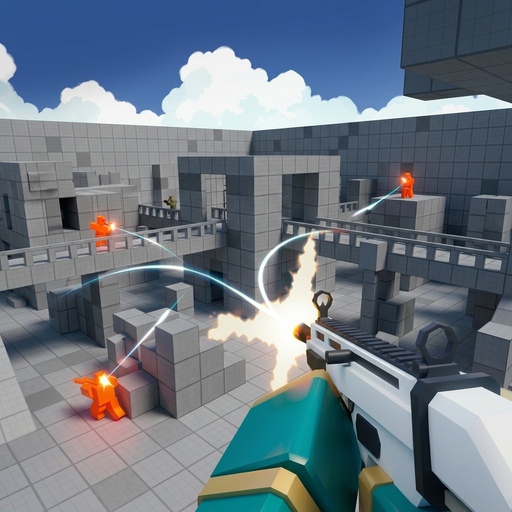



Venge.io
- Game type
- Hero-based multiplayer first-person shooter
- Play style
- Online team and objective matches
- Platform
- Browser game
- Controls
- WASD to move, mouse to aim and fire, number keys to switch weapons, F for an ability.
- Categories
- .io GamesBattle Royale & ArenaShooters
Play Venge.io online in your browser. Choose a hero and compete in fast multiplayer FPS rounds with weapons, abilities, and objectives.
What is Venge.io?
Venge.io is an online first-person shooter where players choose a hero and compete in short multiplayer matches. The hero selection, weapon options, and ability cards add a layer of planning before a round begins. Once the match starts, accurate aim still matters, but it helps to choose fights that fit the hero and objective you selected.
The game includes objective-based play, including capture areas that teams need to contest. That changes how you use the map: a player who stays near an objective can create value even without chasing every opponent, while teammates can move to cover entrances or challenge an enemy approach. Knowing when to defend and when to push is part of the round.
The player above opens the live shooter. The notes below explain its hero-and-objective structure, while the game lobby supplies the current map list, match rules, and ability prompts.
Heroes, weapons, abilities, and objectives
Venge.io features four heroes with different weapons and abilities. The mode rotation can include Point, Gun Game, Blackcoin, Team Deathmatch, and Payload, with some objectives tied to particular maps. Check the live lobby because available modes, maps, and rules can change.
Venge.io also supports invite and private lobbies in the current game flow. Open the custom or private lobby options, choose the available map and mode, then use the invite controls shown on screen to bring friends into the match.
Capture zones reward awareness of approach routes. Look for cover around the objective, keep track of where opponents can enter, and avoid leaving the zone unattended simply to chase a distant target. If your team is outnumbered, a coordinated reset can be better than entering the same fight one player at a time.
Community and custom maps can change sightlines and cover. Take a moment to notice the map's open lanes, corners, and routes between objectives. Use that knowledge to choose a weapon and approach that make sense for the space rather than relying on one strategy in every round.
How to play Venge.io online
Start Venge.io in the player, choose a hero, and review the match objective. Use WASD to move, the mouse to aim and fire, number keys to switch weapons, and F for the available ability. Capture-area modes reward time on the point, while Gun Game and Blackcoin use different goals; follow the map prompt for the current rules.
When a round begins, read the objective indicator and decide where your team needs help. Use cover to move toward the capture area, watch the edges for incoming opponents, and avoid using an ability just because it is ready. A well-timed ability during a push or retreat can be more useful than an action with no target or plan.
If you are new to Venge.io, spend a match learning the hero's weapon and ability before changing characters. That helps you understand whether a missed fight came from aim, positioning, or using the wrong action at the wrong time. The current lobby is the best guide to available maps and modes.
Venge.io tips for objective matches
Stay aware of the objective even when the action moves across the map. If your team controls a zone, use nearby cover and watch a likely entrance rather than wandering away. If opponents have taken it, look for teammates before pushing so they can arrive together and share pressure.
Learn what your hero contributes. A particular weapon may favor a certain distance, while an ability can support a specific moment in the fight. Do not activate it while you are looking away from the target or separated from the objective; wait until the action can help the team make progress.
Use custom maps as a chance to practice reading routes. Locate a safe way back to the objective and a second route that avoids the most exposed lane. This lets you respond when an opponent expects you to appear from the same direction. Venge.io online rewards good aim, but objective awareness often decides whether a team can hold its advantage.
- Choose a hero after reading its weapon and ability description.
- Use cover to reach the objective and stay aware of its entrances.
- Coordinate a push instead of challenging a defended zone one at a time.
Venge.io controls
Use these quick controls as a reference, then follow the prompts in the embedded game if the selected mode or device shows different inputs.
- WASD moves; the mouse aims and fires.
- Use the number keys to select weapons and F for the available hero ability.
- Read the active map's objective and check Settings if the controls differ.
The official controls list these keyboard and mouse actions. Review the settings menu for the current binding and any device-specific changes.
Venge.io tips
- Learn one hero's ability before changing your selection.
- Watch the objective indicator while moving through the map.
- Use your ability when it supports an attack, defense, or retreat.
- Try a different route if the same lane is repeatedly covered by opponents.
Venge.io FAQ
What kind of shooter is Venge.io?
Venge.io is a multiplayer first-person shooter with hero selection, weapons, abilities, and objective-focused rounds.
How many heroes are in Venge.io?
The official game describes four heroes with different weapons, abilities, or cards. Check the live selection screen for current details.
How do Venge.io controls work?
The official controls use WASD to move, the mouse to aim and fire, number keys for weapons, and F for an ability. Review settings for current bindings.
What should I do in a Venge.io capture match?
Stay aware of the capture area, approach with teammates, and use nearby cover to watch the routes opponents may take.
Can I play Venge.io with friends in a private match?
Venge.io has invite and private-lobby options in supported builds. Open the custom or private tab, select the available match settings, and use the lobby's invite controls.
What game modes are in Venge.io?
The mode rotation can include Point, Gun Game, Blackcoin, Team Deathmatch, and Payload. Check the live lobby for the current map and mode combinations.
More games like Venge.io
Explore other browser games in the same play style:
Loading comments...