


Crazy Flips 3D
- Game type
- 3D physics stunt and flipping game
- Play style
- Single-player stunt challenges
- Platform
- Browser game
- Controls
- Hold and release the left mouse button; follow the level prompt to time the stunt and landing.
- Categories
- Driving & Stunts
Play Crazy Flips 3D online and try frontflips, backflips, and gainer tricks from high platforms in 3D stunt courses.
What is Crazy Flips 3D?
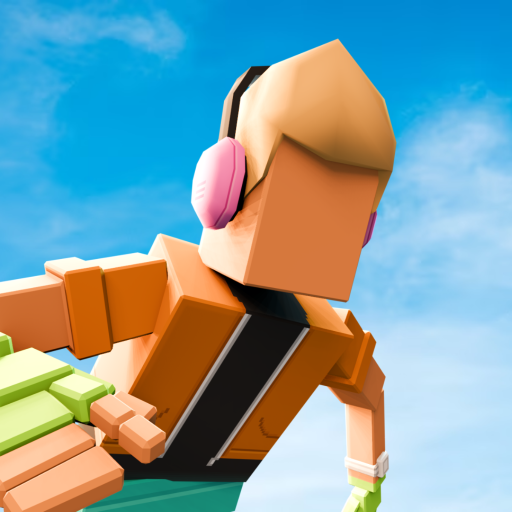
Crazy Flips 3D is a stunt game that turns jumps and somersaults into a physics challenge. Each course gives you a place to build momentum, launch, rotate in the air, and try to land safely. The 3D view makes distance and body angle important: it is not enough to finish a spin if the character is still off balance at touchdown.
The main loop is easy to understand but asks for practice. Crazy Flips 3D focuses on frontflips, backflips, and gainer tricks from high platforms. Hold and release the left mouse button to time the stunt, then judge the character's angle and landing position. The 3D camera makes the distance to the target part of the challenge.
Players looking for Crazy Flips 3D can start the game in the player above. This page focuses on its 3D stunt courses and timing, rather than mixing it with the separate Wacky Flip levels or other titles with similar names.
Momentum, somersaults, and 3D landings
Momentum controls how the stunt begins. Holding longer can change the launch, but an overly long setup may make it harder to judge the landing. Release to start the jump, then use the midair input to perform the somersault. Pay attention to the body angle and the ground distance so you can stop the rotation before the character reaches the target.
Each level gives you a different runway and landing surface. Look at the jump path and the target before deciding how much spin to attempt. A simple rotation with a balanced finish can be more reliable than adding another turn that leaves no time to recover. If the character lands too far forward or backward, adjust the launch or release point on the next try.
The 3D camera gives useful information about height and direction, but it can take a few tries to read. Watch the character's silhouette against the landing zone and release while there is still visible airtime. The best landing is one where the spin has ended before impact, not one where the character is still rotating as the feet touch the ground.
How to play Crazy Flips 3D online
Open the game and read the level's control prompt. On desktop, hold and release the left mouse button to perform the stunt. Watch the rotation and the target area, then use the release timing shown in the game to land upright. On touch devices, use the on-screen input if it appears.
Start with a controlled attempt rather than trying the longest possible jump. That gives you a baseline for the course: how far the character travels, how quickly the rotation happens, and when the landing surface comes into view. If you fall, decide whether the problem was the launch, the flip duration, or the landing alignment, then make one adjustment.
After a clean landing, the score screen shows how the move went. The game's challenge is to combine a good jump with a controlled rotation and recovery. Practice a level until you can repeat the movement, then experiment with a bigger or cleaner stunt while keeping the landing safe.
Tips for higher-scoring Crazy Flips 3D stunts
Use the course layout to decide how much momentum you need. A long runway gives you more room to prepare, while a short setup asks for a quicker, more measured launch. Avoid holding down simply because the character can continue charging; the useful amount is the amount that sends you toward the target with time to recover.
Start the rotation after launch and release once the somersault is complete enough for a stable landing. If you keep holding after the body is in the right position, the extra spin can turn a good jump into a fall. Use the landing surface as a visual reference and begin straightening before the final moment.
A strong score comes from control across the whole stunt, not only a fast flip. Make the launch consistent, finish the rotation in the air, and land with the body balanced. Apply the same timing to each course, then add a more complex trick when the landing is under control.
- Use the runway and target to choose a realistic launch.
- Release the somersault while there is still time to straighten.
- Change launch or rotation timing one step at a time after a fall.
Crazy Flips 3D controls
Use these quick controls as a reference, then follow the prompts in the embedded game if the selected mode or device shows different inputs.
- On desktop, hold and release the left mouse button to perform the flip.
- Watch the character's rotation and release at the point shown by the level prompt.
- On touch devices, follow the on-screen input and aim to land upright.
The game uses a simple hold-and-release input. The level's on-screen prompt is the best guide to timing, especially on a touch device.
Crazy Flips 3D tips
- Watch the course before building momentum so you know where the target is.
- Release the jump input to launch, then begin the somersault in the air.
- Stop rotating before touchdown to make a balanced landing.
- Change one part of the timing after each failed attempt.
Crazy Flips 3D FAQ
How do you do a flip in Crazy Flips 3D?
Build momentum, release to jump, then hold the midair input for a somersault. Release before landing so the character can recover.
What are the Crazy Flips 3D controls?
On desktop, hold and release the left mouse button. Follow the level's timing prompt and the on-screen controls on touch devices.
Is Crazy Flips 3D different from Wacky Flip?
Yes. Both focus on flips and landings, but Crazy Flips 3D uses its own 3D courses and timing prompts.
Can I play Crazy Flips 3D online?
Yes. Launch the embedded game on this page and follow the prompt shown before the level starts.
Report a problem or share feedback
Tell us if the game will not load, something is not working, or you have a suggestion for this page.
More games like Crazy Flips 3D
Explore other browser games in the same play style:
Loading comments...