




Flip Rush
- Game type
- Physics-based stunt sports and flipping game
- Play style
- Single-player stunt missions
- Platform
- Browser game
- Controls
- Hold Space or the left mouse button to crouch; release to jump, then hold again in midair to tuck.
- Categories
- Driving & Stunts
Play Flip Rush online. Guide a ragdoll athlete through platform jumps, midair flips, and precision landings across stunt locations.
What is Flip Rush?
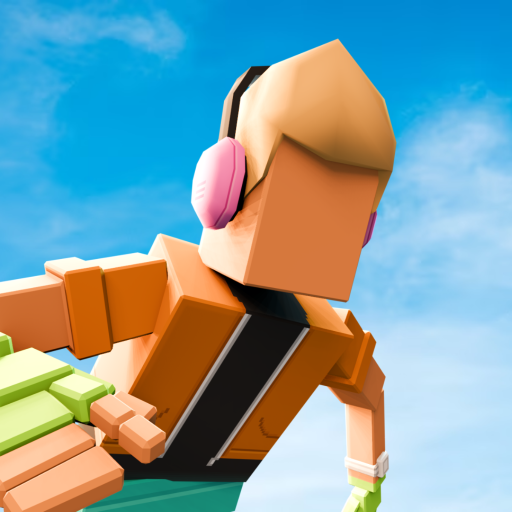
Flip Rush is a physics-based stunt sports game about jumping from platforms, tucking into flips, and landing inside a target zone. You guide a ragdoll athlete through each mission, balancing the number of rotations with the need to land upright. The game rewards timing and control as much as the flip itself.
The basic loop is simple to learn: crouch, release to jump, tuck while airborne, then release early enough to prepare for touchdown. Each attempt gives you another chance to adjust the launch and rotation. A clean landing in the marked zone helps complete the objective and earn a better result.
Play Flip Rush in the game window above. Its level prompts introduce the current objective, while the notes on this page explain the common controls, stages, and landing approach for players searching for Flip Rush online.
Jump, flip, and land in Flip Rush
Every Flip Rush level asks you to get from a starting platform to a landing area. Before jumping, look at where the target zone sits and how much space you have in the air. Release the crouch input to launch, then decide how long to tuck based on the distance and rotation needed for that attempt.
More rotation can earn points, but it also leaves less time to prepare for impact. Release the midair input while the character still has airtime so the ragdoll can move toward an upright landing. The marked zone matters too: landing on your feet near its center is more reliable than reaching the platform at an awkward angle.
Flip Rush includes multiple locations and stages, such as The Gym, Mountain, City, and Funhouse. New settings introduce different jumps and obstacles, so use the opening of each mission to read the landing area before choosing how much spin to attempt.
Flip Rush controls and how to play
On desktop, hold Space or the left mouse button to crouch. Release to jump from the platform. After takeoff, hold the same control to tuck into a flip, then release again to prepare for landing. Check the in-game prompt at the start of a mission if you need a reminder.
Aim for the marked landing zone and try to finish the rotation before the character reaches the ground. The goal is not simply to spin as many times as possible: the athlete needs to land upright to complete the objective. Coins and mission results reflect how well the stunt was performed.
If a jump falls short, change the launch timing or the time spent tucked in the air. If you reach the target but tumble, release the midair input earlier on the next attempt. Adjusting one part at a time makes the game's timing easier to learn.
Flip Rush tips for better landings
Read the target zone before each attempt. Knowing whether it is close or far helps you choose a controlled launch and avoid adding rotations that the jump cannot support.
Use the release between actions deliberately: first release to jump, then release again in midair before touchdown. Leaving time for recovery is the key to landing on both feet instead of falling after a completed flip.
When a mission fails, identify whether the jump missed the target, the character rotated too long, or the landing angle was off. Change only that part of the timing, then compare the next attempt. Complete the mission goals to progress through the game's stages and unlock additional challenges.
- Hold Space or the left mouse button to crouch, then release to jump.
- Tuck only long enough to complete the rotation you need.
- Release before touchdown and aim to land upright in the target zone.
Flip Rush jump and landing controls
- Hold Space or the left mouse button to crouch, then release to jump from the platform.
- In the air, hold the same control to tuck into a flip; release to prepare for landing.
- Aim to land upright inside the marked target zone to finish the mission and score well.
Flip Rush uses a hold-and-release rhythm: release to launch, hold in the air to tuck, and release again before landing. Follow the current prompts in the game if they differ by device.
Flip Rush timing and landing tips
- Study the target zone before starting the jump.
- Release to launch, then hold again in the air to tuck into a flip.
- Let go before touchdown so the character can prepare to land.
- Adjust launch timing or tuck duration one step at a time after a miss.
Flip Rush gameplay and controls FAQ
How do you play Flip Rush?
Hold Space or the left mouse button to crouch, release to jump, then hold again in the air to tuck. Release before landing and aim for the marked target zone.
What are the Flip Rush controls?
On desktop, Space or the left mouse button controls the crouch and jump. Use the same input in midair to tuck into a flip, then release to prepare for landing.
How do you land in Flip Rush?
Stop tucking before the character reaches the ground and try to land upright inside the marked zone. A centered, balanced landing helps complete the mission.
Can I play Flip Rush online?
Yes. Start Flip Rush in the embedded player above. The game runs in your browser and shows its current mission prompts in the player.
How many stages are in Flip Rush?
The game's listing describes 11 stages or locations, including The Gym, Mountain, City, and Funhouse. Check the level menu for the current progression and available missions.
Loading comments...